What Permissions Does a Discord Giveaway Bot Need?
2026-06-23
TL;DR
Most server owners grant Administrator access to a giveaway bot because setup documentation rarely explains what each permission actually controls. That single decision hands an automated process the same rights as a human admin.
The common workaround, reading permission lists and guessing which ones apply, produces either over-permissioned bots or broken giveaway commands. Neither outcome is acceptable for a server you built.
This guide covers the two-tier permission structure that governs every giveaway action. It separates the four management-level permissions from optional ones. It also shows how role-based creator controls let you delegate giveaway initiation without expanding bot access. The target reader is any server owner, moderator, or community manager who wants to run giveaways safely without treating Administrator as a default setting.
* * *
What permissions should you give bots on Discord?
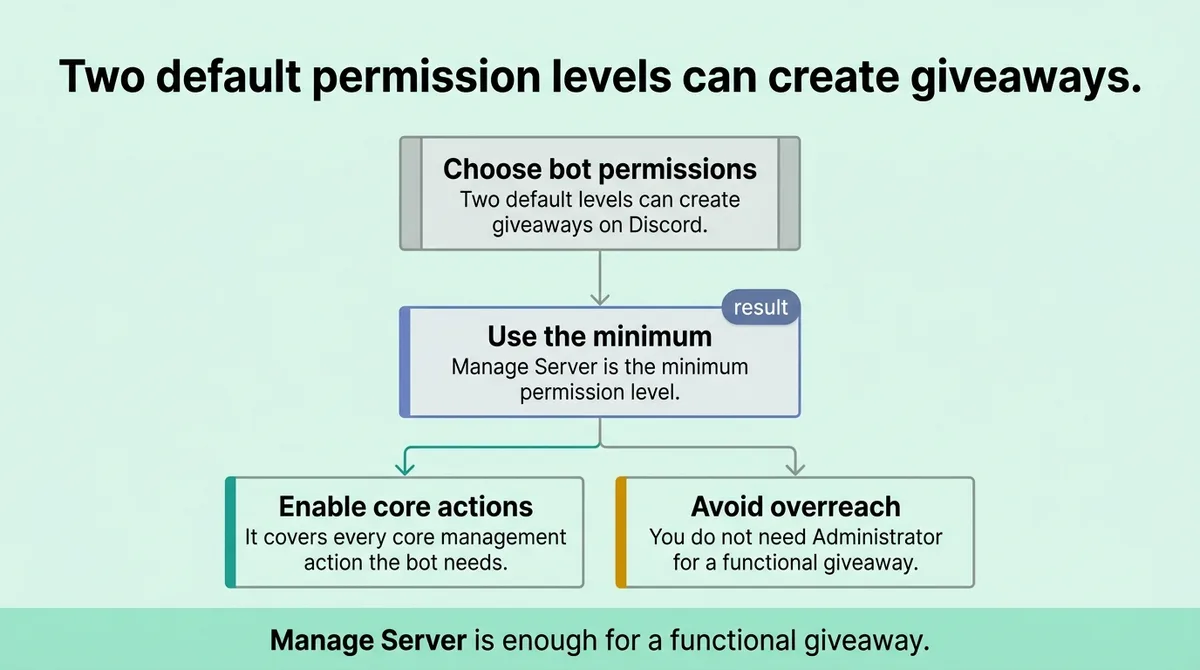
Two default permission levels can create giveaways: Administrator and Manage Server [\[1\]](#ref-1). Manage Server is the minimum. It covers every core management action the bot needs to operate. You do not need to grant Administrator to run a fully functional giveaway.
* * *
The two-tier permission system that controls every giveaway action
Every giveaway action on Discord maps to one of two permission tiers. Knowing which tier covers which action is the only way to stop over-provisioning.
Tier one is Administrator. It covers everything on the server. Tier two is Manage Server. It covers the specific management actions a giveaway bot actually uses [\[1\]](#ref-1). These two tiers are not interchangeable in risk, even though both allow giveaway creation.
The practical difference matters immediately. A bot holding Administrator access can delete channels, kick members, and modify server-wide settings. A bot holding only Manage Server cannot do any of those things. The giveaway functionality behaves identically under either tier.
Stop granting Administrator because it feels easier. Map each bot action to the lowest tier that covers it.
The four core management actions, edit a giveaway, end a giveaway early, reroll a winner, and configure the log channel, all sit inside the Manage Server tier [\[1\]](#ref-1). Nothing in that list requires Administrator. That single fact eliminates the most common justification for over-permissioning a giveaway bot.
One server manager discovered this after noticing their bot had silently modified a channel's permission overrides during a giveaway setup. The bot had Administrator access. Removing that and replacing it with Manage Server stopped the behavior immediately. The giveaways continued without interruption.
The sting line: Administrator access is not a safe default. It is an open door you forgot to close.
* * *
You probably think Administrator access is required , it is not
This is the most common misconfiguration in Discord server management. A server owner installs a giveaway bot, hits a permission error during setup, and grants Administrator to make it go away. The error disappears. The misconfiguration stays.
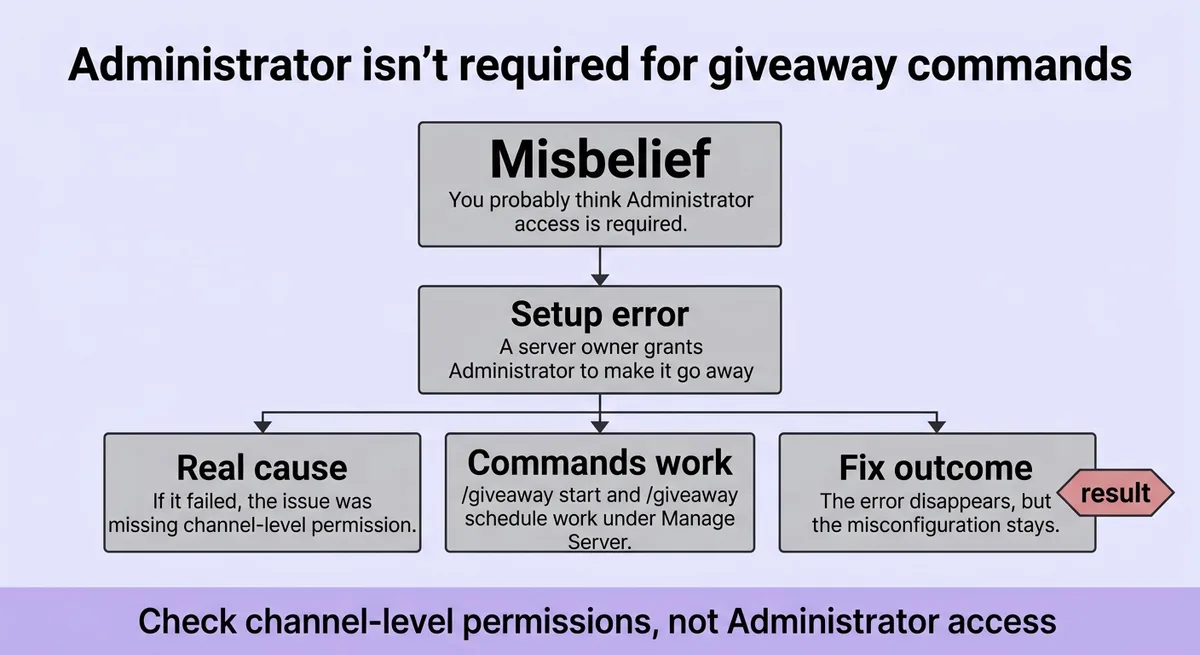
The two giveaway creation commands, `/giveaway start` and `/giveaway schedule`, both work under Manage Server permission [\[1\]](#ref-1). Neither requires Administrator. If your bot needed Administrator to run those commands, the problem was a missing channel-level permission, not a missing server-level one.
Channel-level permissions are separate from role-level permissions. A bot can hold Manage Server at the role level and still fail if the channel itself blocks message sending or reaction adding. Fixing the channel permission is the correct response. Escalating to Administrator is not.
The four management actions that require Manage Server are edit, end, reroll, and log-channel configuration [\[1\]](#ref-1). That list is complete. No hidden fifth action sits behind an Administrator gate.
Here is the practical check. If your giveaway bot cannot perform an action under Manage Server, audit the channel permissions before touching the role permissions. Confirm the bot can send messages, add reactions, read message history, and embed links in the target channel. Those four channel-level permissions cover the majority of giveaway execution failures.
<table class="border-collapse w-full my-4 table-auto mx-4 max-w-4xl sm:mx-auto" style="min-width: 75px;"><colgroup><col style="min-width: 25px;"><col style="min-width: 25px;"><col style="min-width: 25px;"></colgroup><tbody><tr><th class="border border-border px-4 py-3 bg-muted font-semibold text-left" colspan="1" rowspan="1"><p>Action</p></th><th class="border border-border px-4 py-3 bg-muted font-semibold text-left" colspan="1" rowspan="1"><p>Permission Tier Required</p></th><th class="border border-border px-4 py-3 bg-muted font-semibold text-left" colspan="1" rowspan="1"><p>Notes</p></th></tr><tr><td class="border border-border px-4 py-3" colspan="1" rowspan="1"><p>/giveaway start</p></td><td class="border border-border px-4 py-3" colspan="1" rowspan="1"><p>Manage Server</p></td><td class="border border-border px-4 py-3" colspan="1" rowspan="1"><p>Channel send/react perms also needed</p></td></tr><tr><td class="border border-border px-4 py-3" colspan="1" rowspan="1"><p>/giveaway schedule</p></td><td class="border border-border px-4 py-3" colspan="1" rowspan="1"><p>Manage Server</p></td><td class="border border-border px-4 py-3" colspan="1" rowspan="1"><p>Same channel requirements apply</p></td></tr><tr><td class="border border-border px-4 py-3" colspan="1" rowspan="1"><p>Edit giveaway</p></td><td class="border border-border px-4 py-3" colspan="1" rowspan="1"><p>Manage Server</p></td><td class="border border-border px-4 py-3" colspan="1" rowspan="1"><p>No Administrator needed</p></td></tr><tr><td class="border border-border px-4 py-3" colspan="1" rowspan="1"><p>End giveaway early</p></td><td class="border border-border px-4 py-3" colspan="1" rowspan="1"><p>Manage Server</p></td><td class="border border-border px-4 py-3" colspan="1" rowspan="1"><p>No Administrator needed</p></td></tr><tr><td class="border border-border px-4 py-3" colspan="1" rowspan="1"><p>Reroll winner</p></td><td class="border border-border px-4 py-3" colspan="1" rowspan="1"><p>Manage Server</p></td><td class="border border-border px-4 py-3" colspan="1" rowspan="1"><p>No Administrator needed</p></td></tr><tr><td class="border border-border px-4 py-3" colspan="1" rowspan="1"><p>Log-channel setup</p></td><td class="border border-border px-4 py-3" colspan="1" rowspan="1"><p>Manage Server</p></td><td class="border border-border px-4 py-3" colspan="1" rowspan="1"><p>Confirm bot can write to log channel</p></td></tr></tbody></table>
One clarifying note: the table above assumes correct channel-level permissions are already in place. Manage Server handles the command authorization. The channel permissions handle message delivery. Both layers must be correct for the bot to work.
* * *
How entry rules and role-based controls replace broad access
Giveaway bots do not need broad permissions to run sophisticated giveaways. Entry requirements and creator role configurations handle most of the complexity at the structural level, not the permission level.
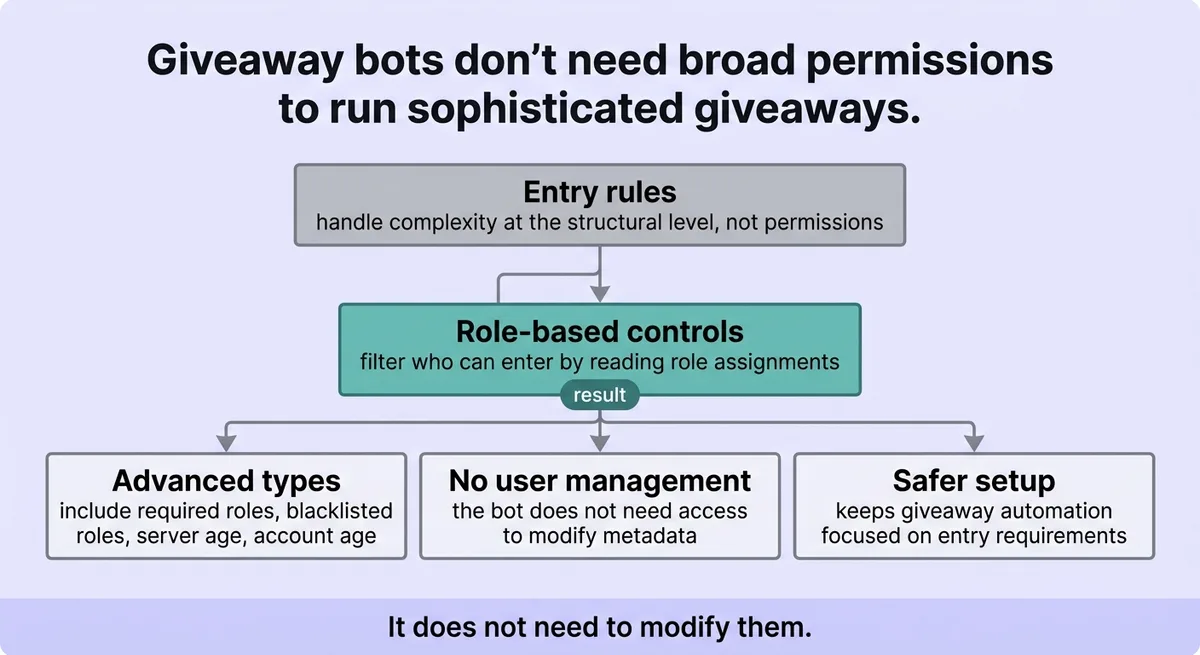
Four advanced entry requirement types exist: required roles, blacklisted roles, minimum server age, and minimum account age [\[1\]](#ref-1). Each one filters who can enter a giveaway without the bot needing access to user management tools. The bot reads role assignments and account metadata. It does not need to modify them.
Required roles restrict entry to members who already hold a specific role. Blacklisted roles exclude members from entering. Minimum server age blocks accounts that joined recently. Minimum account age blocks newly created accounts. All four rules run at entry-time, not at permission-grant time.
This matters for permission scoping. A server owner who wants to prevent alt accounts from winning does not need to give the bot Manage Roles permission. The minimum account age entry rule handles the filtering. The bot checks the data. It does not change anything.
Creator role configuration works the same way. The bot stores a list of roles authorized to initiate giveaways in a local file called `giveaway_creator_roles.json` [\[1\]](#ref-1). Any member holding one of those roles can run `/giveaway start` without holding Manage Server themselves. The bot enforces the creator role check internally.
This separates two concerns that most server owners conflate: who can create a giveaway, and what permissions the bot holds. A moderator can create a giveaway by holding a creator role. The bot still holds only Manage Server. The moderator does not need Manage Server. The bot does not need Administrator.
Custom message management adds one more layer without adding permissions. Three subcommands handle it: `set`, `view`, and `reset`, with `listkeys` as an additional action for reviewing available variables [\[1\]](#ref-1). These commands customize what the bot says during a giveaway. They do not require elevated permissions beyond what the bot already holds.
The bot stores its operational data across four local files: `giveaways.json`, `logchannels.json`, `custom_messages.json`, and `giveaway_creator_roles.json` [\[1\]](#ref-1). Each file handles a specific function. None of them require the bot to hold additional Discord permissions to read or write. The storage is local. The permission scope stays fixed.
* * *
The minimum viable permission set: a practical configuration table
The goal is the smallest permission set that covers every giveaway function without leaving gaps. The table below reflects that target directly.
<table class="border-collapse w-full my-4 table-auto mx-4 max-w-4xl sm:mx-auto" style="min-width: 75px;"><colgroup><col style="min-width: 25px;"><col style="min-width: 25px;"><col style="min-width: 25px;"></colgroup><tbody><tr><th class="border border-border px-4 py-3 bg-muted font-semibold text-left" colspan="1" rowspan="1"><p>Permission</p></th><th class="border border-border px-4 py-3 bg-muted font-semibold text-left" colspan="1" rowspan="1"><p>Level</p></th><th class="border border-border px-4 py-3 bg-muted font-semibold text-left" colspan="1" rowspan="1"><p>Why It Is Needed</p></th></tr><tr><td class="border border-border px-4 py-3" colspan="1" rowspan="1"><p>Manage Server</p></td><td class="border border-border px-4 py-3" colspan="1" rowspan="1"><p>Role level</p></td><td class="border border-border px-4 py-3" colspan="1" rowspan="1"><p>Authorizes all four management actions</p></td></tr><tr><td class="border border-border px-4 py-3" colspan="1" rowspan="1"><p>Send Messages</p></td><td class="border border-border px-4 py-3" colspan="1" rowspan="1"><p>Channel level</p></td><td class="border border-border px-4 py-3" colspan="1" rowspan="1"><p>Bot posts giveaway announcements</p></td></tr><tr><td class="border border-border px-4 py-3" colspan="1" rowspan="1"><p>Add Reactions</p></td><td class="border border-border px-4 py-3" colspan="1" rowspan="1"><p>Channel level</p></td><td class="border border-border px-4 py-3" colspan="1" rowspan="1"><p>Bot adds entry reaction to giveaway post</p></td></tr><tr><td class="border border-border px-4 py-3" colspan="1" rowspan="1"><p>Read Message History</p></td><td class="border border-border px-4 py-3" colspan="1" rowspan="1"><p>Channel level</p></td><td class="border border-border px-4 py-3" colspan="1" rowspan="1"><p>Bot verifies reaction entries</p></td></tr><tr><td class="border border-border px-4 py-3" colspan="1" rowspan="1"><p>Embed Links</p></td><td class="border border-border px-4 py-3" colspan="1" rowspan="1"><p>Channel level</p></td><td class="border border-border px-4 py-3" colspan="1" rowspan="1"><p>Bot formats giveaway embed correctly</p></td></tr><tr><td class="border border-border px-4 py-3" colspan="1" rowspan="1"><p>View Channel</p></td><td class="border border-border px-4 py-3" colspan="1" rowspan="1"><p>Channel level</p></td><td class="border border-border px-4 py-3" colspan="1" rowspan="1"><p>Bot can see the target channel</p></td></tr></tbody></table>
Six permissions. That is the complete set for a standard giveaway configuration.
Manage Server sits at the role level. The remaining five sit at the channel level, applied to whichever channels host giveaways and log outputs. No server-wide message permissions. No Manage Roles. No Manage Channels. No Administrator.
One implementation caveat: if you use a separate log channel, apply the channel-level permissions there too. The bot writes giveaway outcomes to that channel. If it cannot send messages or embed links in the log channel, log entries fail silently. You will not see an error. You will just lose the record.
The custom message subcommands (`set`, `view`, `reset`, and `listkeys`) [\[1\]](#ref-1) run under the same Manage Server authorization. No additional permissions are needed to configure bot messaging. Set up the six permissions above, assign creator roles through the bot's role configuration, and the full feature set is accessible.
Stop granting Administrator. Start applying the six-permission set above per channel.
A practical setup sequence looks like this. Create a bot role. Assign Manage Server to that role. Invite the bot and assign it the role. Open each giveaway channel and apply the five channel-level permissions to the bot role directly. Test with `/giveaway start`. If the command fails, check the channel permissions first. Do not escalate the role permissions until the channel audit is complete.
This sequence catches the most common failure point before it becomes a permission escalation problem.
* * *
Minimum access beats maximum convenience every single time
Granting Administrator is a convenience decision dressed up as a technical one. The actual technical requirement is Manage Server plus five channel-level permissions. That gap between what feels necessary and what is necessary is where server security quietly breaks down.
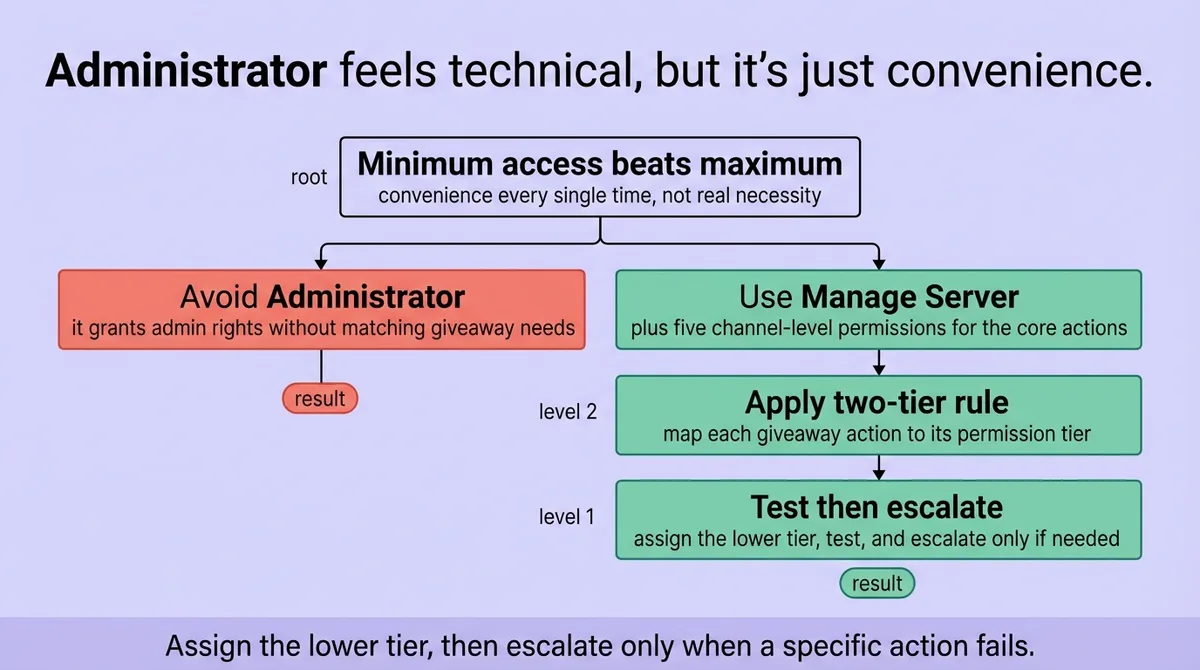
The two-tier permission structure described in this article gives you a clear decision rule. Map each giveaway action to its tier. Assign the lower tier. Test. Escalate only if a specific action fails, and audit the channel layer before touching the role layer.
Entry rules and creator roles let you delegate giveaway initiation without widening bot access. Custom message controls give you full presentation control without additional permissions. The four local data files handle operational state without requiring the bot to hold write access to server settings.
Six permissions cover everything. Use exactly six.
* * *
FAQ
What permissions should you give bots on Discord?
Give bots only the permissions their specific functions require. For a giveaway bot, that means Manage Server at the role level and five channel-level permissions: Send Messages, Add Reactions, Read Message History, Embed Links, and View Channel. Avoid granting Administrator unless a specific, audited action requires it.
Are giveaways allowed on Discord?
Giveaways are allowed on Discord. Discord's Terms of Service do not prohibit community giveaways. Individual servers may set their own rules about giveaway conduct, and giveaways that require payment to enter may trigger separate legal considerations depending on jurisdiction.
How does the giveaway bot work on Discord?
A giveaway bot posts an embed to a designated channel, collects entries through reactions or slash-command interactions, and selects a winner when the timer expires. Moderators with Manage Server permission or an assigned creator role can manage active giveaways using commands like `/giveaway end` and `/giveaway reroll` [\[1\]](#ref-1).
Is the giveaway bot legit on Discord?
Established giveaway bots with public source code or verified Discord app listings are generally legitimate tools. Review the permission scope a bot requests during installation. If a bot requests Administrator access without a documented reason for each action that requires it, that is a signal to investigate further before approving.
What is the 13 rule on Discord?
Discord's Terms of Service require users to be at least 13 years old to create an account. This is a platform-wide rule. Giveaway bots can enforce a minimum account age entry requirement to filter very new accounts, but the 13-year minimum is Discord's own policy, not a bot-level setting.
Should Discord bots have admin?
No. Granting Administrator to a bot expands its access to every server action, including ones irrelevant to its function. Manage Server covers all four core giveaway management actions [\[1\]](#ref-1). Administrator is not required. Assign the minimum permission tier that covers each documented bot function.
What are the rules for a giveaway?
Rules vary by server and platform, but standard giveaway structures include entry eligibility requirements, a defined end time, a transparent winner selection method, and prize delivery terms. Giveaway bots can enforce entry rules like required roles, blacklisted roles, minimum server age, and minimum account age [\[1\]](#ref-1) automatically.
How to use a giveaway bot on Discord?
Invite the bot to your server and assign it a role with Manage Server permission. Apply channel-level permissions (Send Messages, Add Reactions, Read Message History, Embed Links, View Channel) to the channels where giveaways will run. Use `/giveaway start` to create a giveaway and configure entry requirements and creator roles through the bot's setup commands [\[1\]](#ref-1).
* * *
References and Citations
[\[1\]](#ref-1) [https://github.com/iamvibhorsingh/bestDiscordGiveawayBot](https://github.com/iamvibhorsingh/bestDiscordGiveawayBot)
[\[2\]](#ref-2) [https://uplup.com/blog/how-to-run-a-discord-giveaway](https://uplup.com/blog/how-to-run-a-discord-giveaway)