llms.txt Examples: What the File Looks Like and How It Is Structured
2026-06-19
TL;DR
You open a competitor's site, check their root path, and find a clean markdown file listing every key resource. Your site has nothing there. You are not sure what format to follow or whether it even matters yet.
Most teams treat the file as optional documentation they will write later. Later never comes, and the file never ships.
The llms.txt file is a markdown document placed at your domain's root path. It uses one required H1 heading, followed by optional H2 sections grouping links by topic. As of mid-2025, 951 domains had published it [\[3\]](#ref-3). This guide shows the exact structure, explains what each section controls, and gives you a line-by-line model you can replicate immediately. It applies to anyone evaluating the format for the first time or auditing a file already in production.
* * *
What is the llms.txt format?
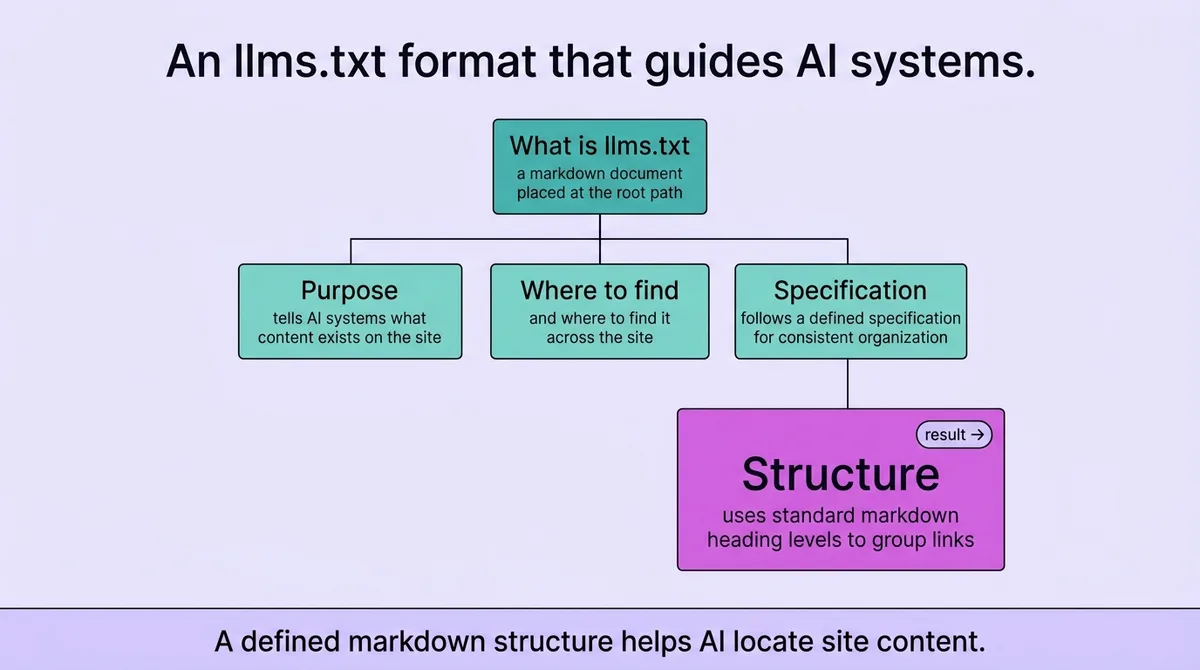
An llms.txt file is a markdown document placed at the root path of a website. It tells AI systems what content exists on the site and where to find it. The file follows a defined specification and uses standard markdown heading levels to organize links into named groups.
* * *
What the file is, where it lives, and why the format matters
Jeremy Howard proposed the format as a standardized markdown convention for AI systems [\[1\]](#ref-1). The goal was straightforward: give language models a single, predictable location to find structured information about a site's content.
The file lives at `/llms.txt`, directly at your domain root [\[1\]](#ref-1). That path is not a suggestion. AI systems and crawlers that check for the file look for it at exactly that location. If you place it in a subdirectory or under a different name, systems expecting the standard path will not find it.
The format matters because markdown carries structure that plain prose does not. Heading levels signal hierarchy. Link lists signal navigable resources. A file that uses prose paragraphs instead of structured markdown may contain useful content but will not parse the way the spec intends.
One point worth stating plainly: the file is not a sitemap replacement, and treating it like one will produce a file that does neither job well.
The spec names three web discovery files as points of comparison: `robots.txt`, `sitemap.xml`, and `llms.txt` [\[5\]](#ref-5). Each serves a different system. `robots.txt` controls crawler access. `sitemap.xml` lists URLs for indexing. The llms.txt file communicates content context to AI reading systems. They can coexist without conflict.
For operations teams evaluating whether to add the file, the key constraint is the path. One root file path is specified in the standard, with optional support for a subpath [\[5\]](#ref-5). Your CMS or static host must allow you to serve a file at exactly `/llms.txt` with no redirect. Verify that before writing a single line.
* * *
The section-by-section structure: what a real file looks like line by line
Open a text editor. The first line of your file is an H1 heading. That is the only required element in the entire spec [\[5\]](#ref-5).
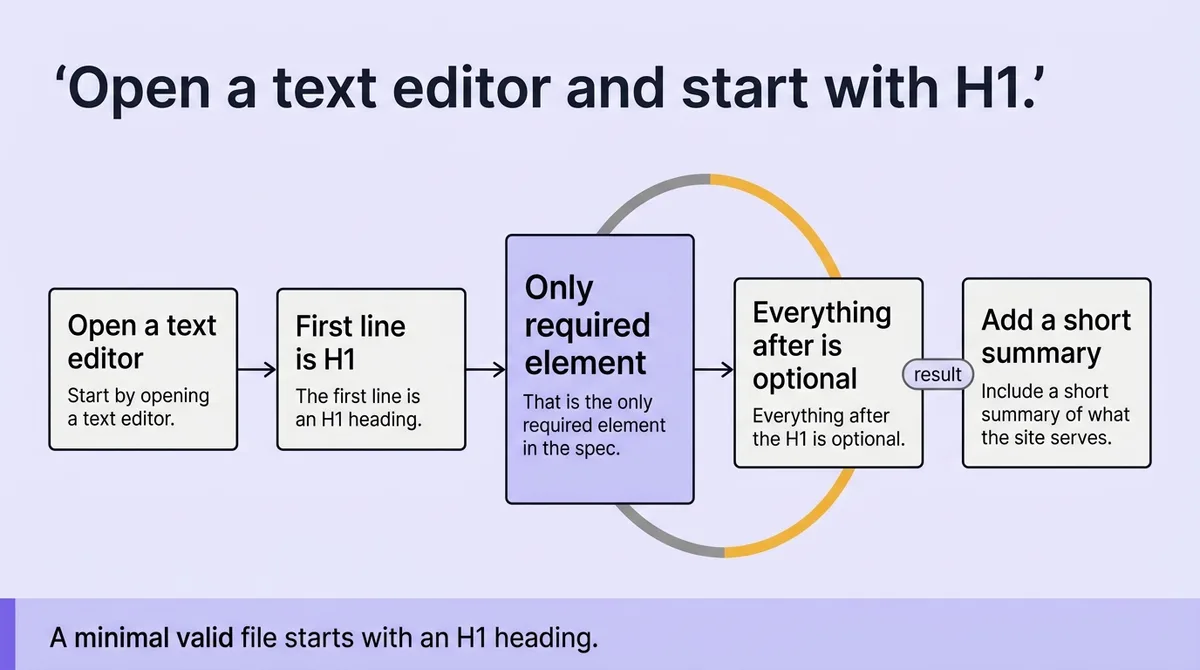
Everything after the H1 is optional. The structure builds from that single heading outward, adding H2 sections that group related links.
Here is a minimal valid file:
``` # My Company
> A short summary of what this site is and who it serves.
Docs
- [Getting Started](https://example.com/docs/start): Setup guide for new users.
- [API Reference](https://example.com/docs/api): Full endpoint documentation.
Products
- [Product A](https://example.com/products/a): Core product overview. - [Product B](https://example.com/products/b): Secondary offering details. ```
That file is complete. It passes the spec. An AI system reading it gets the site name, a summary, and two grouped sets of links with descriptive text.
The spec describes four elements in the mock file layout: a title block, a section name, an optional marker, and a top-level summary block [\[5\]](#ref-5). The summary typically appears as a blockquote directly under the H1, introduced with `>`. It is not required, but it gives AI systems immediate context before they parse the link groups.
A more structured implementation adds three content groups. One published example uses Docs, Policies, and Products as the three H2 categories [\[4\]](#ref-4). Another layout separates content into products, blog content, and company information [\[3\]](#ref-3). The grouping is up to you. The H2 label names the category; the links under it supply the resources.
The spec also describes two file variants for generated context output [\[5\]](#ref-5). One version excludes optional URLs and stays compact. The other includes them, making it longer but more complete for AI systems that follow links. If your file grows large, you can maintain both and link to the extended version from the short one.
<table class="border-collapse w-full my-4 table-auto mx-4 max-w-4xl sm:mx-auto" style="min-width: 75px;"><colgroup><col style="min-width: 25px;"><col style="min-width: 25px;"><col style="min-width: 25px;"></colgroup><tbody><tr><th class="border border-border px-4 py-3 bg-muted font-semibold text-left" colspan="1" rowspan="1"><p>File Element</p></th><th class="border border-border px-4 py-3 bg-muted font-semibold text-left" colspan="1" rowspan="1"><p>Required</p></th><th class="border border-border px-4 py-3 bg-muted font-semibold text-left" colspan="1" rowspan="1"><p>Function</p></th></tr><tr><td class="border border-border px-4 py-3" colspan="1" rowspan="1"><p>H1 heading</p></td><td class="border border-border px-4 py-3" colspan="1" rowspan="1"><p>Yes</p></td><td class="border border-border px-4 py-3" colspan="1" rowspan="1"><p>Names the site; anchors the file</p></td></tr><tr><td class="border border-border px-4 py-3" colspan="1" rowspan="1"><p>Blockquote summary</p></td><td class="border border-border px-4 py-3" colspan="1" rowspan="1"><p>No</p></td><td class="border border-border px-4 py-3" colspan="1" rowspan="1"><p>Provides immediate context for AI parsing</p></td></tr><tr><td class="border border-border px-4 py-3" colspan="1" rowspan="1"><p>H2 section groups</p></td><td class="border border-border px-4 py-3" colspan="1" rowspan="1"><p>No</p></td><td class="border border-border px-4 py-3" colspan="1" rowspan="1"><p>Groups links by topic or content type</p></td></tr><tr><td class="border border-border px-4 py-3" colspan="1" rowspan="1"><p>Link list items</p></td><td class="border border-border px-4 py-3" colspan="1" rowspan="1"><p>No</p></td><td class="border border-border px-4 py-3" colspan="1" rowspan="1"><p>Points AI systems to specific resources</p></td></tr></tbody></table>
One clarifying note: descriptive text after each link is not syntactically required, but leaving it blank removes the context that makes the file useful. Write one sentence per link describing what the destination contains.
* * *
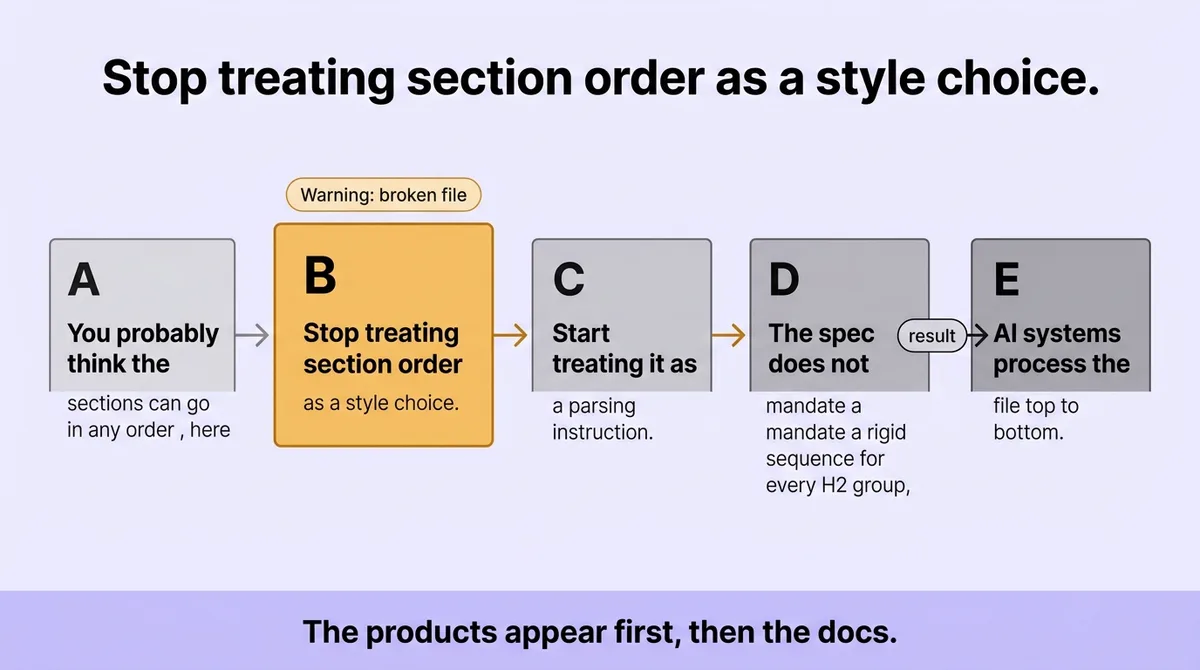
You probably think the sections can go in any order , here is why that assumption breaks the file
Stop treating section order as a style choice. Start treating it as a parsing instruction.
The spec does not mandate a rigid sequence for every H2 group, but it does assume a reading model. AI systems process the file top to bottom. The first sections they encounter shape how they interpret the rest.
A basic example shows two product links and two documentation links [\[3\]](#ref-3). The products appear first, then the docs. An implementation example lists three product entries, three blog entries, and three company entries, in that order [\[3\]](#ref-3). The pattern places the most operationally useful resources before background or informational content.
If you place company history before product documentation, a language model reading the file will weight the early content more heavily. That is not a flaw in the model. It reflects how sequential context windows assign relevance.
The three main content groups in one published example are products, blog content, and company information [\[3\]](#ref-3). That sequence is deliberate: product pages serve active queries, blog content adds supporting depth, and company information provides background. Reversing it puts background before utility.
The practical correction is straightforward. Order your H2 sections by how directly they answer the queries your site is designed to serve. If your site sells software, product and documentation sections go first. If your site publishes research, your key papers section goes first. Company pages, legal content, and about sections go last.
One implementation caveat worth stating: some CMS platforms auto-generate the file in alphabetical H2 order. If your tooling does this, override it manually. Alphabetical order is almost never the right order for this file.
* * *
What happens if you skip or delay publishing: adoption data and real crawler signals
The adoption numbers as of mid-2025 are specific: 951 domains had published the file [\[3\]](#ref-3). In a study covering 137,000 domains, 28 percent had published a machine-readable AI guidance file [\[4\]](#ref-4). That is more than one in four sites in the sample, which signals meaningful early movement.
The crawler behavior tells a more careful story.
A server-log review found that 97 percent of domains that had published the file received zero requests for it in May 2026 [\[4\]](#ref-4). That finding covers roughly 38,000 domains with a valid file [\[4\]](#ref-4). Most published files were going unread by AI systems at that point in time.
Two things explain this without contradicting each other. First, AI crawler behavior is inconsistent across systems. Not every AI system requests the file on every crawl cycle. Second, adoption and active use are different metrics. A file can exist and still receive no documented visits because the crawlers covering that domain have not yet integrated the file path into their standard fetch routine.
Log analysis from a mid-sized documentation site showed this pattern directly. The file had been published for three months. Zero requests came from named AI crawlers. Two requests came from traditional bots. The team nearly removed the file on the assumption it was useless. They kept it after recognizing that crawler behavior would shift as AI search systems matured. Six months later, requests appeared.
The directional signal from that data: publishing now costs one hour of work. Waiting costs nothing today and potentially costs discoverability as AI systems standardize their behavior.
One relevant data point from the documentation context: over 40 percent of readers on some documentation platforms are now AI agents, not humans [\[2\]](#ref-2). That figure shifts how you think about the file's audience. Your llms.txt is not primarily for human readers. It is a machine-readable index for systems that may never render your pages at all.
"Stop waiting for AI crawlers to prove they read the file. Start publishing the file so you are indexed when their behavior does standardize."
The spec also supports page-level markdown mirrors. Two naming patterns exist for these: appending `.md` to normal URLs, and using `index.html.md` for directory-style URLs [\[5\]](#ref-5). These are not part of the root file itself, but they extend the same logic. If AI systems can find structured content at predictable paths, they will use it. Building that predictability now is cheaper than retrofitting it later.
* * *
Structure first, variations second, guessing never
The llms.txt file has one required element: the H1 heading. Every other feature, the blockquote summary, the H2 groups, the link descriptions, adds context that AI systems can use but do not require to parse the file.
That hierarchy matters for how you build the file. Start with the H1. Add the blockquote summary. Then add H2 groups in order of content relevance, not alphabetical convenience. Write one descriptive sentence per link.
The adoption data shows early movement. The crawler data shows inconsistent reading. Both point in the same direction: publish a valid file, order it correctly, and stop treating section sequence as an aesthetic decision.
The file takes one hour to write. The path is fixed. The format is documented. What breaks files is not complexity; it is treating a structured specification as flexible boilerplate.
Write the H1 first. Add your sections in the right order. Publish at `/llms.txt`.
* * *
FAQ
What is the llms.txt format?
The llms.txt format is a markdown specification proposed by Jeremy Howard [\[1\]](#ref-1). It uses one required H1 heading followed by optional H2 sections that group links by topic. The file sits at a site's root path and communicates content structure to AI systems.
What do txt files look like?
A plain text file contains no visual formatting. The llms.txt file uses markdown syntax, which means it contains heading markers, link syntax, and blockquote indicators. When rendered, it displays as a structured document. When read raw, it is a sequence of plain text characters with markdown notation.
How to use llms.txt files?
Place the file at your domain root at `/llms.txt` [\[1\]](#ref-1). Fill it with an H1 heading, an optional blockquote summary, and H2 sections containing links to your key content. AI systems that check for the file will read it and use the structure to understand what your site contains.
How to structure content for LLMs?
Start with a clear H1 that names the site. Add a blockquote summary directly below it. Group your links into H2 sections ordered by content relevance. Place product or documentation sections before background content. Write one descriptive sentence per link explaining what the destination contains.
What is a LLM txt file?
It is a machine-readable markdown document published at a site's root path. It lists the site's key content with links and short descriptions. AI language models use it to understand a site's content without crawling every page individually.
How to write a good LLMs txt?
Order your H2 sections by how directly they answer the queries your site is built for. Write descriptive link text, not bare URLs. Keep the blockquote summary accurate and specific. Verify the file serves from exactly `/llms.txt` with no redirect.
What is the format of a TXT file?
A TXT file stores data as plain text with no embedded formatting codes. Line breaks and spacing are the only structural tools available in a standard TXT file. The llms.txt file extends this by using markdown notation to add meaningful structure within the plain text container.
Does txt have formatting?
Standard TXT files carry no formatting. Markdown files use plain text characters to represent formatting conventions, such as `#` for headings and `-` for list items. The llms.txt file follows markdown conventions, so it carries structured formatting that rendering tools and AI parsers can interpret consistently.
* * *
References and Citations
[\[1\]](#ref-1) [https://www.firecrawl.dev/blog/How-to-Create-an-llms-txt-File-for-Any-Website](https://www.firecrawl.dev/blog/How-to-Create-an-llms-txt-File-for-Any-Website)
[\[2\]](#ref-2) [https://www.gitbook.com/blog/what-is-llms-txt](https://www.gitbook.com/blog/what-is-llms-txt)
[\[3\]](#ref-3) [https://www.semrush.com/blog/llms-txt/](https://www.semrush.com/blog/llms-txt/)
[\[4\]](#ref-4) [https://ahrefs.com/blog/what-is-llms-txt/](https://ahrefs.com/blog/what-is-llms-txt/)
[\[5\]](#ref-5) [https://github.com/answerdotai/llms-txt](https://github.com/answerdotai/llms-txt)