How to Make Your Website Visible to AI Tools: A Practical Guide to Structured Data Signals
2026-06-21
TL;DR
You published solid content. You checked rankings. Traffic from AI-generated answers is growing, and your pages are not in them.
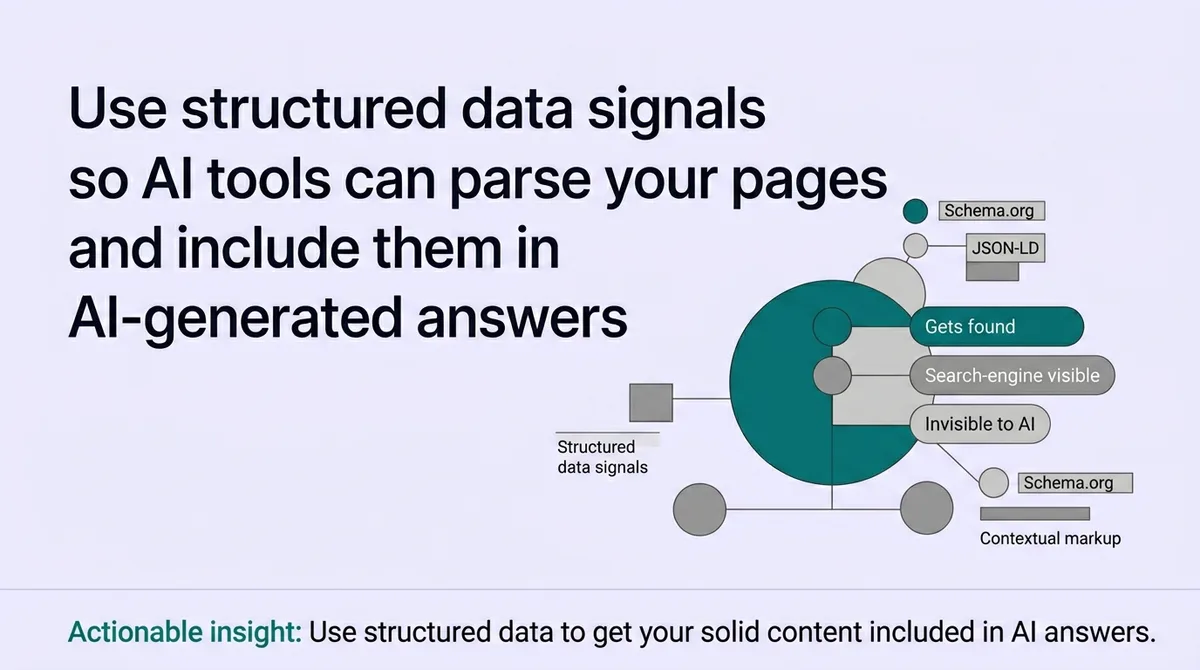
Most site owners respond by writing more content. That does not fix the problem. AI systems do not skip your pages because the writing is weak. They skip pages because the content has no machine-readable structure. The system cannot classify what it cannot parse.
The Interpret-Select-Improve framework addresses this directly. It works in three stages: restructure your page hierarchy so AI systems can classify your content, implement schema markup with every required field filled, then validate and monitor on a recurring schedule. This guide is written for business owners and operations leaders who need a repeatable process, not a one-time fix.
* * *
How do I make my website visible to AI?
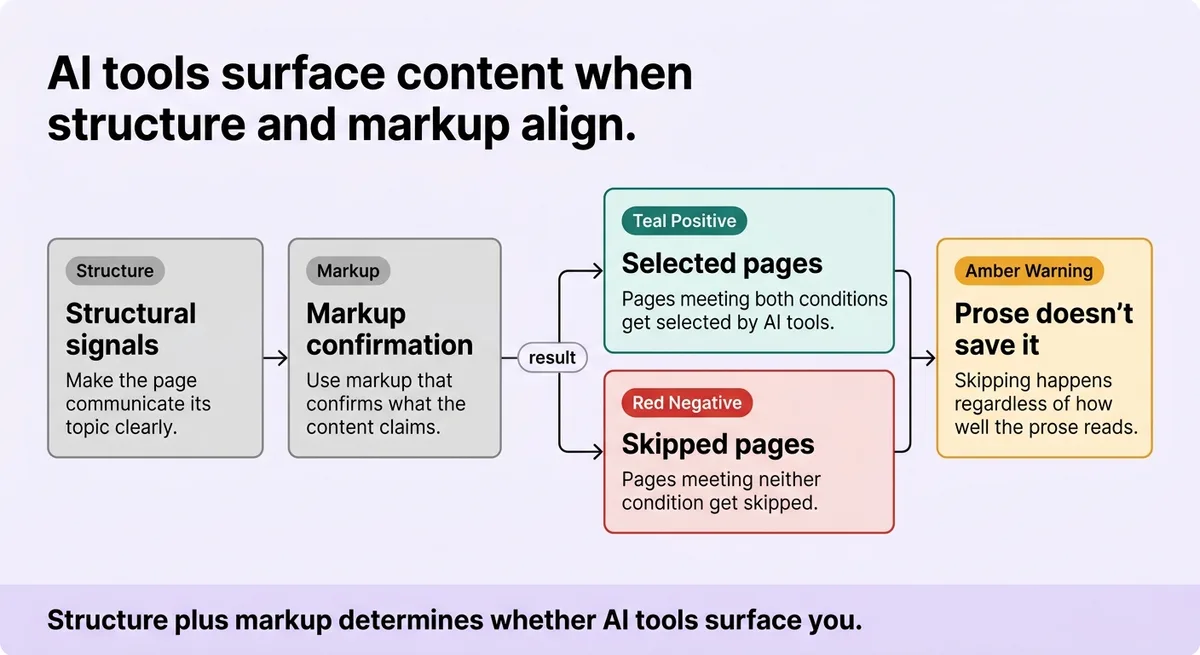
AI tools surface content when two conditions are met: the page communicates its topic clearly through structural signals, and the markup confirms what the content claims. Pages that satisfy both conditions get selected. Pages that satisfy neither get skipped, regardless of how well the prose is written.
* * *
Why AI Systems Skip Your Website Even When Your Content Is Relevant
Here is the false assumption worth naming early: good content earns visibility.
It does not. Not automatically. Not from AI systems.
You may have spent hours on a product guide or a service page. The writing is clear. The information is accurate. A human reader would find it useful. Yet when someone asks an AI tool about exactly that topic, your page is absent from the answer.
The gap is not quality. It is parsability.
AI systems process pages the way a database processes a query. They need fields, labels, and signals they can read programmatically. If your page lacks those signals, the system does not downrank it. The system cannot classify it at all.
The numbers make this concrete. Roughly 48% of tracked queries now trigger AI-generated answers [\[1\]](#ref-1). AI answer appearances increased 58% year-over-year [\[1\]](#ref-1). One platform's trigger rate sits at 57.9% [\[1\]](#ref-1). That is more than half of all queries returning an AI-synthesized response instead of a blue link list.
If your pages are not structured for machine consumption, they are absent from more than half of modern query results.
Consider a concrete comparison. A recipe page with detailed instructions but no schema markup competes against a recipe page with Recipe schema that includes prep time, cook time, ingredient list, and calorie count. Search systems render the second page as a rich result with visual elements. The first page earns a plain blue link, if it appears at all. Both pages contain identical prose quality. The outcome is not identical.
Google's own documentation confirms the gap. One site implemented structured data across 100,000 unique pages and recorded a 25% higher click-through rate [\[2\]](#ref-2). The content did not change. The signals around it did.
The Interpret-Select-Improve framework treats machine-readability as a separate, trackable requirement from content quality. Structured signals are the translation layer between your content and automated systems.
* * *
Stage One: Making Page Meaning Machine-Readable Before You Touch Any Code
Applying schema to a disorganized page does not fix the page. It labels the disorganization.
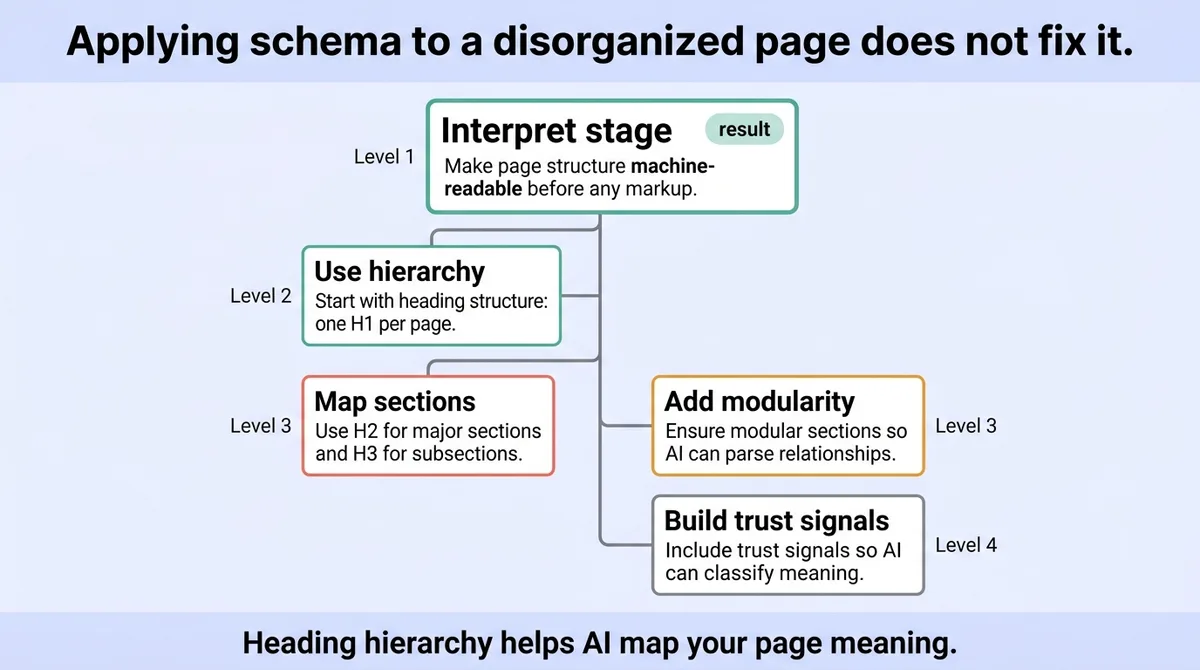
This is the Interpret stage of the framework. Before any markup, the page itself must communicate its structure through formatting that AI systems can parse. That means hierarchy, modularity, and trust signals.
Start with heading structure. One H1 per page, used for the page title [\[3\]](#ref-3). H2 headings for major sections. H3 headings for subsections within those. AI systems use this hierarchy to map the page's topic tree. A page with three H1 tags or no heading nesting sends conflicting classification signals.
Two content formats are explicitly recommended for AI readability: short paragraphs and modular sections [\[3\]](#ref-3). A wall of text may contain excellent information. A crawling system cannot extract a clean answer from it. Modular sections with clear headings let AI tools pull discrete answers from discrete locations.
The trust layer matters separately. Google's E-E-A-T framework evaluates four elements before selecting content: Experience, Expertise, Authoritativeness, and Trustworthiness [\[3\]](#ref-3). For an AI system, these signals appear as author bylines, publication dates, organizational credentials, and cited sources. A page with no author attribution and no date signal scores lower on this layer regardless of its heading structure.
One emerging signal worth noting: llms.txt [\[3\]](#ref-3). This file type, proposed for LLM-oriented site guidance, functions similarly to robots.txt. It provides explicit direction to large language models about how to interpret and use your site's content. Its adoption is early, but monitoring it now costs nothing.
Stop adding schema to pages before fixing their hierarchy. Start with one H1, logical H2/H3 nesting, and answer-first paragraphs.
<table class="border-collapse w-full my-4 table-auto mx-4 max-w-4xl sm:mx-auto" style="min-width: 75px;"><colgroup><col style="min-width: 25px;"><col style="min-width: 25px;"><col style="min-width: 25px;"></colgroup><tbody><tr><th class="border border-border px-4 py-3 bg-muted font-semibold text-left" colspan="1" rowspan="1"><p>Signal</p></th><th class="border border-border px-4 py-3 bg-muted font-semibold text-left" colspan="1" rowspan="1"><p>Poorly Structured Page</p></th><th class="border border-border px-4 py-3 bg-muted font-semibold text-left" colspan="1" rowspan="1"><p>Well-Structured Page</p></th></tr><tr><td class="border border-border px-4 py-3" colspan="1" rowspan="1"><p>Heading hierarchy</p></td><td class="border border-border px-4 py-3" colspan="1" rowspan="1"><p>Multiple H1s, no H2/H3 nesting</p></td><td class="border border-border px-4 py-3" colspan="1" rowspan="1"><p>One H1, logical H2/H3 sequence</p></td></tr><tr><td class="border border-border px-4 py-3" colspan="1" rowspan="1"><p>Paragraph format</p></td><td class="border border-border px-4 py-3" colspan="1" rowspan="1"><p>Dense blocks, 200+ words per section</p></td><td class="border border-border px-4 py-3" colspan="1" rowspan="1"><p>Short paragraphs, modular sections</p></td></tr><tr><td class="border border-border px-4 py-3" colspan="1" rowspan="1"><p>Trust markers</p></td><td class="border border-border px-4 py-3" colspan="1" rowspan="1"><p>No author, no date</p></td><td class="border border-border px-4 py-3" colspan="1" rowspan="1"><p>Named author, visible publication date</p></td></tr><tr><td class="border border-border px-4 py-3" colspan="1" rowspan="1"><p>Answer placement</p></td><td class="border border-border px-4 py-3" colspan="1" rowspan="1"><p>Answer buried mid-paragraph</p></td><td class="border border-border px-4 py-3" colspan="1" rowspan="1"><p>Answer in first sentence of section</p></td></tr><tr><td class="border border-border px-4 py-3" colspan="1" rowspan="1"><p>LLM guidance</p></td><td class="border border-border px-4 py-3" colspan="1" rowspan="1"><p>No llms.txt</p></td><td class="border border-border px-4 py-3" colspan="1" rowspan="1"><p>llms.txt present with content scope</p></td></tr></tbody></table>
Audit your page structure before adding any markup. One H1, logical H2/H3 nesting, short answer-first paragraphs. That is the non-negotiable foundation.
* * *
Stage Two: Choosing the Right Schema Format and Filling Every Required Field
Most beginner guides list schema types. They do not tell you that missing a single required field causes the entire markup block to fail validation.
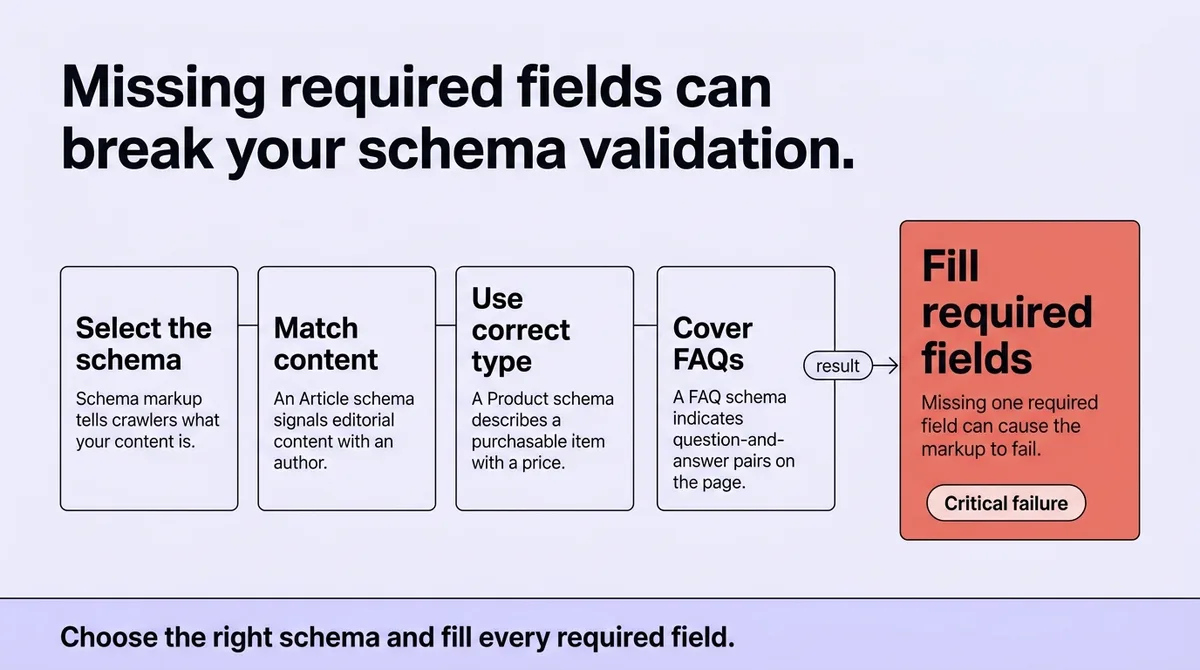
This is the Select stage. Schema markup tells crawlers what your content is, not just what it says. An Article schema tells the system this is editorial content with an author. A Product schema tells it this page describes a purchasable item with a price. A FAQ schema tells it the page contains question-and-answer pairs that can be pulled directly into search results.
The format question has a clear answer. Three formats exist for schema implementation: JSON-LD, Microdata, and RDFa [\[2\]](#ref-2). JSON-LD is the one format specified for implementation [\[3\]](#ref-3). It sits in the page's head section. It requires no restructuring of your HTML. It validates cleanly with standard tools. Use JSON-LD. Do not debate Microdata.
Here is what a minimal Article schema block requires:
```json { "@context": "https://schema.org", "@type": "Article", "headline": "Your page title here", "author": { "@type": "Person", "name": "Author Name" }, "datePublished": "2024-01-15", "image": "https://yoursite.com/image.jpg" } ```
Every field above is required. Remove one, and the markup may pass syntax checks but fail Google's rich result eligibility. The system does not surface partial schema. It ignores it.
The performance consequences of getting this right are documented. Across Google's structured data case studies: 80% of pages with structured data recorded improved performance [\[2\]](#ref-2). Sites measured a 35% increase in visits [\[2\]](#ref-2). Pages with structured data averaged 1.5 times more time on page [\[2\]](#ref-2). Interaction rates ran 3.6 times higher [\[2\]](#ref-2). Click-through rates increased 82% in one documented case [\[2\]](#ref-2).
These are not projections. They are outcomes from pages that implemented schema correctly, with complete required fields.
<table class="border-collapse w-full my-4 table-auto mx-4 max-w-4xl sm:mx-auto" style="min-width: 75px;"><colgroup><col style="min-width: 25px;"><col style="min-width: 25px;"><col style="min-width: 25px;"></colgroup><tbody><tr><th class="border border-border px-4 py-3 bg-muted font-semibold text-left" colspan="1" rowspan="1"><p>Schema Type</p></th><th class="border border-border px-4 py-3 bg-muted font-semibold text-left" colspan="1" rowspan="1"><p>Best For</p></th><th class="border border-border px-4 py-3 bg-muted font-semibold text-left" colspan="1" rowspan="1"><p>Required Fields</p></th></tr><tr><td class="border border-border px-4 py-3" colspan="1" rowspan="1"><p>Article</p></td><td class="border border-border px-4 py-3" colspan="1" rowspan="1"><p>Blog posts, news, guides</p></td><td class="border border-border px-4 py-3" colspan="1" rowspan="1"><p>headline, author, datePublished, image</p></td></tr><tr><td class="border border-border px-4 py-3" colspan="1" rowspan="1"><p>Product</p></td><td class="border border-border px-4 py-3" colspan="1" rowspan="1"><p>Product pages, e-commerce</p></td><td class="border border-border px-4 py-3" colspan="1" rowspan="1"><p>name, image, description, offers</p></td></tr><tr><td class="border border-border px-4 py-3" colspan="1" rowspan="1"><p>FAQ</p></td><td class="border border-border px-4 py-3" colspan="1" rowspan="1"><p>Q&A pages, support content</p></td><td class="border border-border px-4 py-3" colspan="1" rowspan="1"><p>mainEntity with Question and acceptedAnswer</p></td></tr><tr><td class="border border-border px-4 py-3" colspan="1" rowspan="1"><p>LocalBusiness</p></td><td class="border border-border px-4 py-3" colspan="1" rowspan="1"><p>Service area or location pages</p></td><td class="border border-border px-4 py-3" colspan="1" rowspan="1"><p>name, address, telephone</p></td></tr><tr><td class="border border-border px-4 py-3" colspan="1" rowspan="1"><p>BreadcrumbList</p></td><td class="border border-border px-4 py-3" colspan="1" rowspan="1"><p>Site navigation paths</p></td><td class="border border-border px-4 py-3" colspan="1" rowspan="1"><p>itemListElement with position and item</p></td></tr></tbody></table>
One implementation caveat that most guides omit: schema type must match page content. Placing FAQ schema on a page that contains no question-and-answer pairs causes a validation error in Search Console. Placing Article schema on a product page misclassifies the page's intent. Misclassification does not help your visibility. It introduces conflicting signals.
Match the schema type to what the page actually contains. Fill every required field. Use JSON-LD in the page head.
* * *
Stage Three: Testing, Monitoring, and Improving After You Deploy
Deploying schema and moving on is the most common mistake in this process.
This is the Improve stage of the Interpret-Select-Improve framework. Schema is not a one-time implementation. CMS updates, template changes, and plugin conflicts can break structured data silently. A site that deploys schema but never validates can go six weeks with a broken implementation. Six weeks of broken markup means six weeks of missed rich result eligibility.
The testing sequence has three steps.
First, run Google's Rich Results Test immediately after deployment. Paste the page URL. The tool confirms whether your markup is valid, which rich result types your page qualifies for, and which fields are missing or malformed.
Second, monitor Search Console's Enhancement reports on a recurring schedule. These reports show which pages Google has detected structured data on, which have errors, and which are eligible for rich results. A green status in Search Console means Google parsed the markup correctly.
Third, track crawl frequency for key pages. If a page drops out of rich results without a content change, check whether a template update broke the schema block.
The scale of AI tool adoption makes this monitoring habit urgent, not optional. One platform alone reports 910 million weekly active users [\[1\]](#ref-1). Another reports 2 billion monthly users [\[1\]](#ref-1). AI search is projected to influence 25% of queries by 2026 [\[1\]](#ref-1) and more than 50% by 2028 [\[1\]](#ref-1). The audience routing through AI-generated answers is not shrinking.
The benchmark to track after deployment: a 35% increase in click-through rates [\[1\]](#ref-1). That is the directional signal that your structured data is functioning and your pages are earning rich results. If CTR stays flat after six weeks, return to the Rich Results Test and Search Console to identify the gap.
A mid-sized services firm implemented FAQ schema across 40 landing pages. They ran the Rich Results Test at launch, confirmed clean validation, and considered the work complete. Eight weeks later, a CMS plugin update quietly removed the JSON-LD blocks from the page head. Traffic from rich results dropped 22% before anyone checked the Enhancement report. One monthly review cycle would have caught the error at week four instead of week eight.
Set a monthly calendar reminder. Check the Search Console structured data report. Re-run the Rich Results Test after any template or CMS change. That is the entire recurring workflow.
The Interpret-Select-Improve framework works because each stage depends on the previous one. Structure before schema. Schema before validation. Validation before you treat the work as finished.
* * *
Structured Signals Are Not Optional When AI Chooses What to Surface
Your content does not earn visibility by existing. It earns visibility by being parsable.
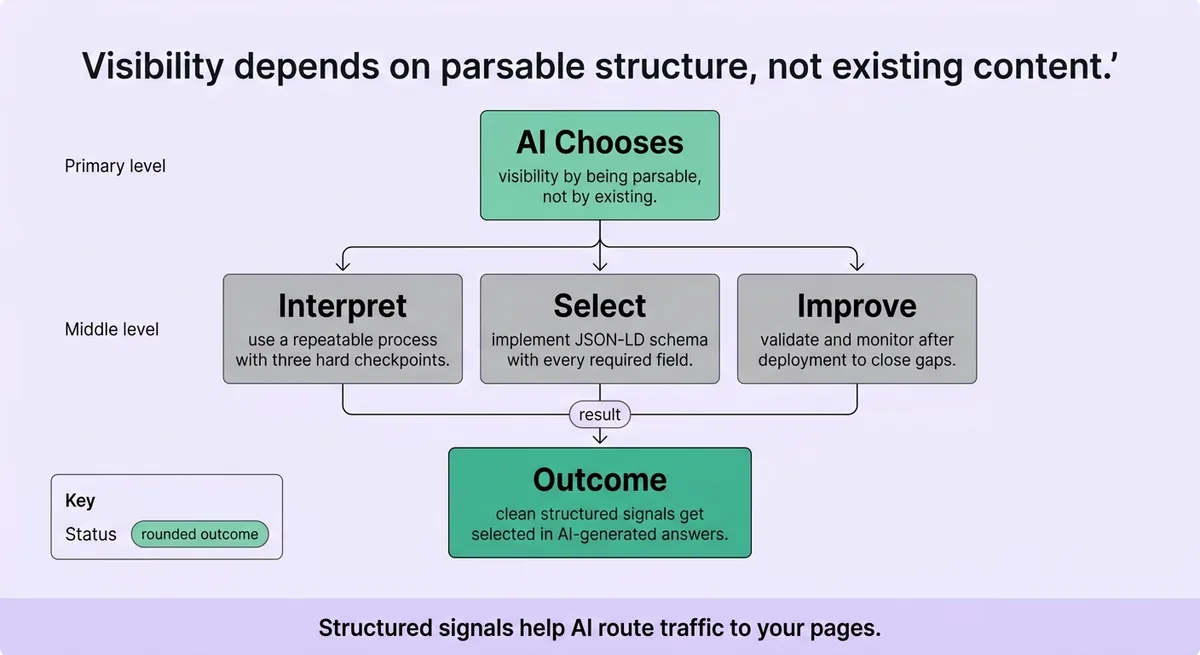
The Interpret-Select-Improve framework gives you a repeatable process with three hard checkpoints. Structure the page hierarchy first. Implement JSON-LD schema with every required field. Validate and monitor after deployment. Each step without the others leaves a gap that AI systems will fill by selecting a competitor's page instead.
The traffic routing through AI-generated answers will continue growing. Pages with clean structured signals will be selected. Pages without them will not appear, regardless of how well-written they are.
Start with your highest-traffic page. Run its URL through the Rich Results Test today.
* * *
FAQ
How do I make my website visible to AI?
Structure your pages with one H1, logical heading hierarchy, and short modular sections. Add JSON-LD schema markup that matches your page type and includes all required fields. AI systems select content they can parse and classify. Pages without those signals are skipped.
How do I make my website AI readable?
AI readability starts with content structure before markup. Use one H1 per page, short paragraphs, and modular sections with clear subheadings. Include trust signals like author name and publication date. These formatting choices let AI systems extract discrete answers from your pages cleanly.
How do you optimize your website for AI?
Follow the three stages of the Interpret-Select-Improve framework. First, fix your page hierarchy so content is classifiable. Second, implement JSON-LD schema with complete required fields for your page type. Third, validate using Google's Rich Results Test and monitor Search Console's Enhancement reports monthly.
How do I check the AI visibility of my website?
Run your page URLs through Google's Rich Results Test to confirm schema validity. Check Search Console's Enhancement reports for structured data errors and eligibility status. Track click-through rate changes after implementation. A 35% increase in CTR is the benchmark signal that structured data is functioning [\[1\]](#ref-1).
How do you allow AI to crawl your website?
Check your robots.txt file to confirm you have not blocked major AI crawlers. Consider adding an llms.txt file to provide explicit guidance to large language models about your site's content scope [\[3\]](#ref-3). Clean heading hierarchy and valid schema markup help crawlers classify your content once they access it.
What is the 30% rule for AI?
The 30% rule is not a formally documented standard in structured data implementation. Some practitioners reference it informally as a threshold for content freshness or update frequency. For verified guidance on AI visibility, focus on documented requirements: complete schema fields, valid JSON-LD format, and regular Search Console monitoring.
* * *
References and Citations
[\[1\]](#ref-1) [https://www.frase.io/blog/ai-visibility](https://www.frase.io/blog/ai-visibility)
[\[2\]](#ref-2) [https://developers.google.com/search/docs/appearance/structured-data/intro-structured-data](https://developers.google.com/search/docs/appearance/structured-data/intro-structured-data)
[\[3\]](#ref-3) [https://www.dotcms.com/blog/making-your-content-ai-discoverable](https://www.dotcms.com/blog/making-your-content-ai-discoverable)